What Is a Captive Portal? How It Works, Types and Design Tips
In short: what is a captive portal?
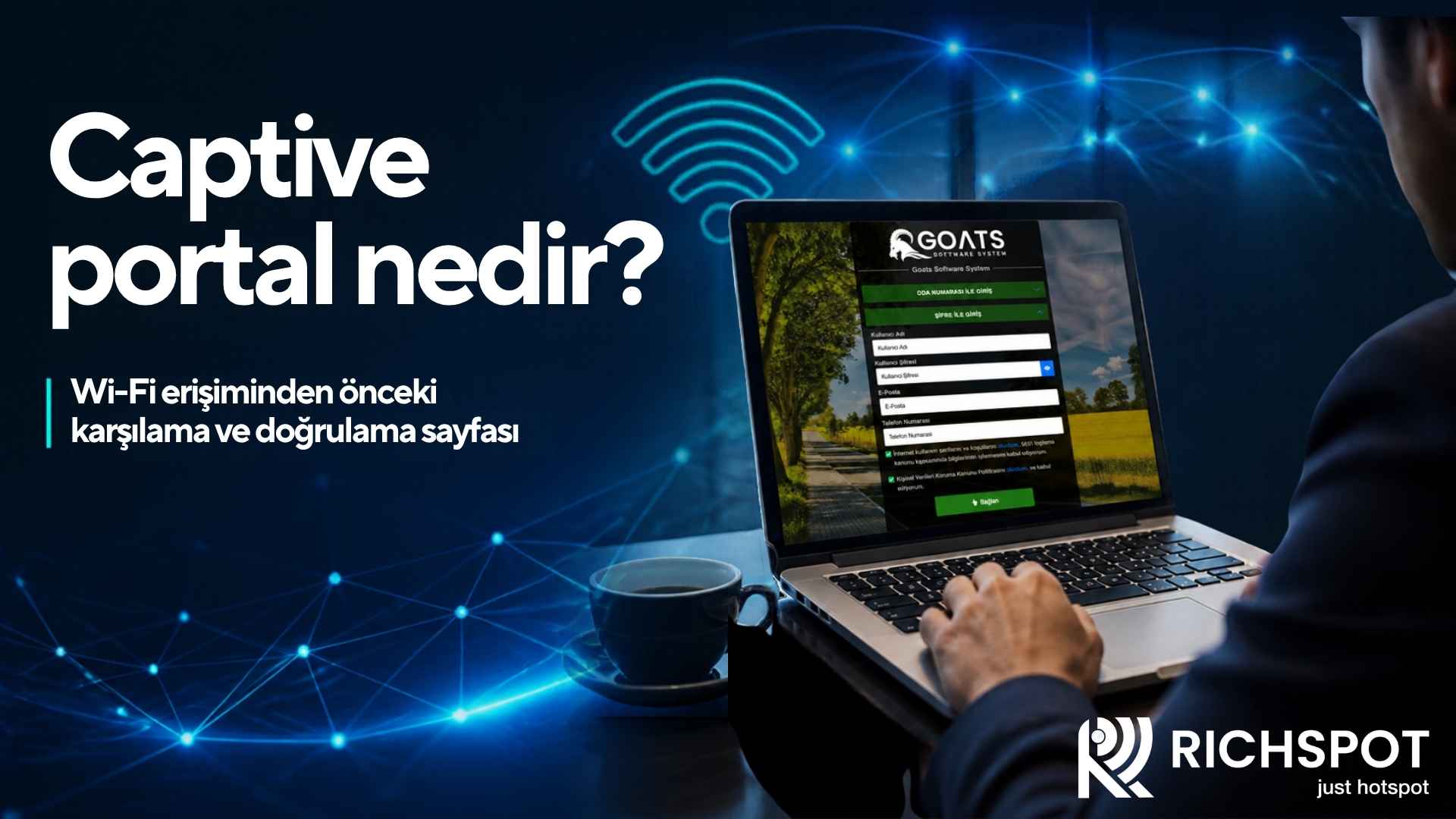
A captive portal is a web-based welcome and authentication page that automatically appears when a user joins a wireless network, before they can access the internet. On this page, the user accepts the terms of use, verifies their identity or enters an access code; internet access is then opened. Businesses that offer guest networks, such as hotels, cafés, restaurants, airports, shopping centres and event venues, use captive portals both to control access and to promote their brand.
Why the word "captive"?
"Captive" means held or captured. The captive portal gets its name from the way it "captures" the user's internet traffic and redirects it to a specific page until authentication is complete. The user is connected to the network and their device has an IP address, but whichever site they try to visit, they see the portal page first. Once authentication is complete, this restriction is lifted and the user can browse the internet freely.
How does a captive portal work?
Behind the scenes, a captive portal relies on a few technical steps:
- Joining the network: The user connects to the guest Wi-Fi network and receives an IP address via DHCP.
- Connectivity check: As soon as they join a network, modern operating systems (iOS, Android, Windows, macOS) send a request to a specific test address to check whether real internet access is available.
- Interception and redirection: Because the user has not yet been authenticated, the gateway (for example a hotspot-enabled router) intercepts this request and redirects it to the portal page.
- The portal opens: When the operating system receives a different page instead of the expected response, it recognises a captive portal and automatically shows the login screen to the user (the "Sign in to network" notification).
- Authentication: The user logs in on the portal using the chosen method.
- Access is opened: The hotspot system authorises the user, and the gateway allows that device's traffic to reach the internet.
- Post-login page: Optionally, the user is redirected to the business's website, a campaign page or the address they originally wanted to open.
Captive portal types and authentication methods
A portal can be built with different authentication methods depending on the business's needs. Each method has its own advantages and points to watch.
One-click / terms acceptance
The user connects simply by accepting the terms of use. It is the fastest method, but the level of user identification is low. It is usually used together with other methods or in low-risk areas.
SMS verification
The user enters their phone number and types the one-time code they receive into the portal. It is strong for identifying users and common in short-visit venues such as cafés, restaurants and shopping centres. SMS costs and coverage for foreign numbers should be planned.
Room number and surname
In hotels, the guest enters their room number and surname (or date of birth), and the details are verified against the property management system. Because the guest uses information they already know, it is one of the most convenient methods.
Voucher / access code
Codes limited by time or quota, distributed at reception, at the till or at event entrances. Ideal for meeting rooms, conferences and paid internet packages.
Email login
The user registers with an email address. If marketing communications are planned, this should be designed together with an explicit consent process.
ID number login
Preferred in some business scenarios, but because of personal data sensitivity it should be carefully assessed for necessity and proportionality.
Social media login
The user connects with a social media account or is asked to follow the business's page. Because platform policies and data-sharing terms change frequently, the current situation should be checked.
Corporate / staff login
Employees get access with a username and password or through integration with a corporate directory.
The characteristics of a successful captive portal design
The portal is one of the guest's first digital touchpoints with the business. A good portal both provides a fast connection and reflects the brand correctly.
Speed and simplicity
The portal page should load within a few seconds. Large images, heavy animations and many external scripts slow down loading, especially at peak times. Images should be compressed and page size kept small.
Mobile-first design
Most users reach the portal from a phone. Buttons should be large enough to tap easily, text should be legible and there should be few form fields. The portal must also display correctly in the small "captive portal browser" window opened by operating systems.
Few steps, clear instructions
An ideal portal should be completed in one or two steps at most. The user should be told what to do in short, clear sentences, such as "Enter your room number and surname".
Corporate identity
The logo, brand colours, typography and visual language should match the business's website. This consistency builds trust and reassures guests that they have joined the right network.
Multilingual support
In tourist regions, languages that suit the guest profile should be offered, above all Turkish, English, German and Russian. Where possible, the language should be selected automatically based on the device language.
Legal information
The terms of use and the KVKK privacy notice should be accessible on the portal. Consent boxes for operations requiring explicit consent must not be pre-ticked and must not be confused with mandatory connection conditions.
Balanced use of marketing space
Campaign images, the restaurant menu, spa discounts or event announcements can be shown on the portal, but they should not complicate the connection process or clutter the page.
Technical points to watch
HTTPS and certificate issues
Today most websites use HTTPS. When an unauthenticated user tries to visit an HTTPS site, the gateway redirecting that traffic can trigger a certificate warning in the browser. It is therefore important that portal redirection works with the operating systems' connectivity check mechanisms and that the portal page is served with a valid SSL certificate.
Walled garden configuration
If the portal is hosted on an external server, or if external services such as SMS or social media are used, those addresses must be reachable before authentication (the walled garden).
Randomised MAC addresses
Newer phones may use a different, random MAC address for each network for privacy reasons. This can affect device-based remembering features (automatic re-login by MAC) and should be considered when designing session management.
Post-login access test
It should be tested with different devices that internet access starts without interruption once the portal has been passed. Sometimes authentication appears successful but the internet does not open because of firewall rules.
Example portal flows by sector
Hotel
The guest joins the network and the portal opens with the hotel's logo and a welcome message. The guest enters their room number and surname, verification is done against the property management system, and the guest uses the internet throughout their stay without logging in again. The lower part of the portal can show the spa, the à la carte restaurant or evening entertainment as a simple card. The session ends automatically after check-out.
Café and restaurant
The customer joins the network and the portal opens with a short welcome message. They enter a phone number, type in the code received by SMS and use the internet for a set period (for example two hours). The portal can include the menu of the day or a link to the QR menu.
Conference and event venue
Participants enter the voucher code printed at the registration desk or on their badge. The code is limited to the duration of the event, and a speed profile specific to the participant group is applied. Sponsor logos can be shown discreetly on the portal.
Hospital and clinic
Visitors and companions connect via SMS or one-click; the portal shows hospital rules and quiet-zone reminders. Medical systems run on completely separate networks, and no health data is collected through the portal.
How do you measure portal performance?
A captive portal's success should be judged not only by how it looks but by measurable indicators:
- Connection completion rate: How many of the users who open the portal successfully complete authentication? A low rate may indicate too many steps or unclear instructions.
- Average connection time: The time from the portal opening to internet access. The target is a few seconds.
- Error and drop-off points: Analyse whether users give up before entering the SMS code or at a form field.
- Device and operating system distribution: If a particular device group has problems, the test scope should be expanded.
- Campaign engagement: Click-through rates on announcement and campaign areas show the impact of marketing content.
- Wi-Fi complaints at reception: The most realistic feedback from the operational side.
By monitoring these indicators regularly, portal texts, number of steps and design can be improved with small A/B tests.
The benefits of a captive portal for the business
- Controlled and identifiable guest access
- Brand visibility with every connection
- Communication of terms of use and legal information
- User-to-session mapping for access records
- Opportunities for campaigns, announcements and cross-selling
- Marketing and analytics with consented customer data
- Per-user application of speed and time policies
Common portal mistakes
- Asking guests for lots of information that authentication does not require.
- Using high-resolution, uncompressed background images.
- Testing the portal only in a desktop browser and not in the mobile captive portal window.
- Leaving consent boxes pre-ticked or making marketing consent a condition for connecting.
- Forgetting to add the addresses of external services to the walled garden.
- Offering portal text in only one language.
Frequently asked questions
Why doesn't the captive portal open on my phone?
Device cache, VPN apps, private DNS settings or HTTPS-related redirection problems may be the cause. The user can try opening an HTTP address in the browser; on the business side, DNS and walled garden settings should be checked.
Is a captive portal secure?
The portal is a mechanism for controlling access; it does not encrypt traffic on its own. For security, the portal should be served over HTTPS, the guest network should be separated from other networks and client isolation should be enabled.
Do guests have to log in again every time?
No. With session duration and device-remembering policies, guests can stay connected for their stay or for a defined period without logging in again.
Is it legal to show advertising on the portal?
Showing the business's own campaigns is generally possible. However, if targeting is based on personal data or commercial electronic messages are sent, consent processes under KVKK and the relevant commercial communications legislation must be assessed separately.
Can I create my own portal design?
That depends on the design tools offered by the hotspot software. Some solutions allow HTML/CSS editing in addition to ready-made templates.
Next step with Richspot
Richspot Hotspot's captive portal module is designed to be fully customisable. With the captive portal design editor you can create your own login page, add a logo, change the background and make HTML/CSS edits. Authentication methods such as SMS, room number, ID number, email, password code, one-click and staff login are offered together with multilingual support, including Turkish, English, German and Russian.
Evaluate your guest welcome and access flow with Richspot Hotspot. Ask for up-to-date product information on portal customisation options and supported authentication methods.
