Guest Wi-Fi in Cafés and Restaurants: Setup, Security and Marketing Guide
In short: how should guest Wi-Fi be managed in cafés and restaurants?
Guest Wi-Fi in cafés and restaurants should be offered in a setup where customers connect with a short and easy login step, the network is separated from the business's till and management systems, per-user speed and time limits are applied, and access records are kept properly. Using a captive portal-based hotspot system instead of a shared password written on the tables improves both security and customer experience, and also gives the business opportunities for consent-based marketing and customer analytics.
Why does Wi-Fi matter in cafés and restaurants?
Wi-Fi is now often among the factors customers consider when choosing a café or restaurant. Remote workers, students, people holding business meetings and tourists see a stable internet connection as an important criterion. In tourist areas, free Wi-Fi alone can be a reason for foreign visitors who want to avoid roaming charges to walk in.
Wi-Fi's contribution to the business goes beyond attracting customers:
- Customer satisfaction: A fast, trouble-free connection improves the overall experience.
- Social media visibility: Customers may tag the business when sharing photos and videos from the venue.
- Digital menus and ordering: QR menus, online ordering and payment systems depend on the internet.
- Marketing opportunities: Campaign announcements and consent-based customer communication can be delivered via the captive portal.
- Customer insights: Information such as how many customers connect at which times, how long they stay and how often they return supports decision-making.
The problems with a shared password
In many cafés and restaurants, the Wi-Fi password is written on the table, the menu or the wall. It looks quick, but over time it causes serious problems:
- The password spreads: Neighbouring businesses, residents of the building, passers-by and one-time customers can stay connected indefinitely.
- Control is lost: Nobody knows who is connected or how many devices are using the network.
- Capacity runs out: People who are not on the premises consume bandwidth, while customers inside face a slow connection.
- Security risk increases: If the till, POS and staff devices are on the same network, they are exposed to threats that may come from guest devices.
- Changing the password is a hassle: Every change means updating menus, table cards and informing staff.
- Access records become meaningless: When everyone connects with the same password, users cannot be mapped to sessions.
The right setup: captive portal-based guest Wi-Fi
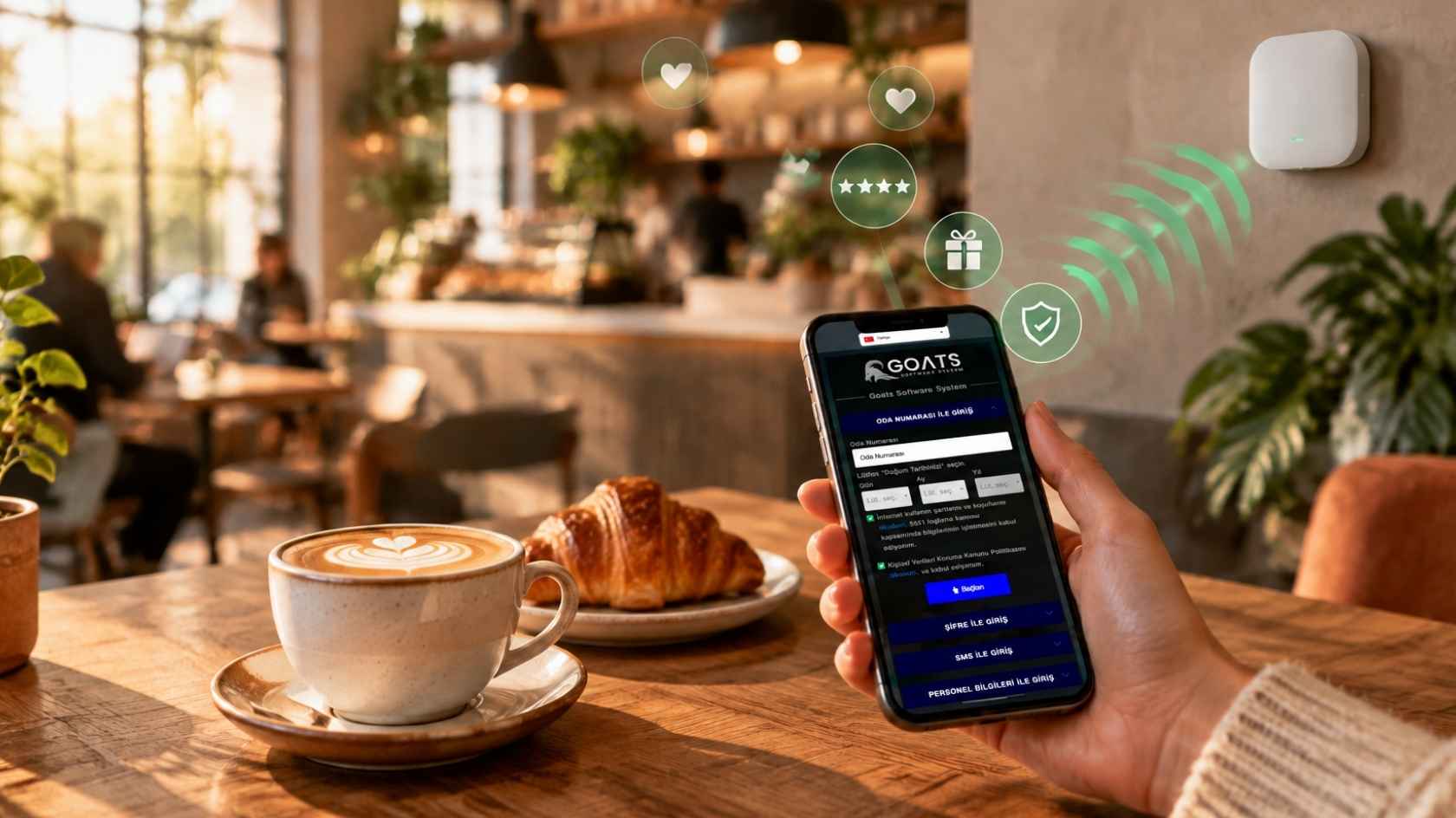
In a captive portal-based setup, when a customer joins the network, the business's branded welcome page opens automatically. The customer completes a short authentication step and gets online. The authentication methods most commonly used in cafés and restaurants are:
SMS verification
The customer enters their phone number, types in the code they receive and connects. It is a strong method for identifying users. SMS costs should be planned according to customer traffic, and support for sending to foreign numbers should be checked.
Voucher / table code
A time-limited code given at the till, printed at the bottom of the receipt or placed on the table. For example, a code valid for two hours can be given with every order. This ensures that Wi-Fi is used only by actual customers.
One-click login
The customer connects quickly by accepting the terms of use. It is the most convenient method, but the level of user identification is low. It is usually used with time and speed limits or alongside other methods.
Email or social media login
Preferred by marketing-focused businesses. Because personal data is collected, privacy notices and, where required, explicit consent processes under Turkey's KVKK must be designed correctly.
Technical infrastructure: what to watch out for
Network separation
Guest Wi-Fi should not be on the same network as the business's till system, POS terminals, ordering software, camera recorder or staff computers. This requires a VLAN-capable router and a managed switch, with the guest network isolated by firewall rules so that it can only reach the internet. Client isolation, which prevents guest devices from seeing each other, should also be enabled.
Access point placement
A single access point may be enough for a small café, but in businesses with a garden, a terrace or several dining rooms, coverage and capacity must be planned together. Metal surfaces in the kitchen area, refrigerators and thick walls can weaken the signal. Access points should be mounted on the ceiling or high on walls, with a clear view of the customer area.
Professional equipment instead of a consumer modem
The consumer modems supplied by internet providers can usually handle only a limited number of concurrent devices and do not offer features such as hotspot, VLANs or per-user speed limits. This is the most common cause of connection problems at peak times. The modem should therefore be used only for the internet uplink, with network management handled by a hotspot-capable router.
Per-user speed and time limits
One customer downloading a large file or watching high-resolution video can slow down every other customer's connection. A reasonable per-user download and upload limit ensures fair use. Setting a session duration (for example two or three hours) also prevents devices that have left the venue from staying connected for long periods.
Content filtering
Depending on the business's policy and the legislation it is subject to, blocking access to harmful or inappropriate content can be considered. This is particularly important for family restaurants and venues where children are present.
Example scenarios by type of business
Quick service and fast food
Customers stay for a short time and mostly connect with their phones. Fast one-click or SMS login, a one-hour session and a medium speed limit are sufficient. The portal can show the deal of the day or an app download link.
Cafés and work-friendly venues
Customers who come with laptops and stay for hours need longer session durations and a higher speed profile. Some businesses tie longer access to ordering, through a voucher given for a certain level of spending.
Fine dining restaurants
Guests need the internet less, but they expect the connection to be effortless and elegant. A branded, minimal portal with one-click login is usually the best option.
Beach clubs and venues with terraces
Outdoor areas need outdoor access points. At busy weekend hours, capacity planning and fair per-user speed limits are critical.
Chains and franchises
Offering the same brand experience in every branch, central policy management and per-branch reporting are the priorities.
Turning Wi-Fi into a marketing tool
The captive portal is a low-cost and effective digital communication channel for cafés and restaurants. Used correctly:
- The menu of the day and campaigns can be shown on the welcome page.
- Customers can be redirected to the QR menu or online ordering page.
- Social media accounts can be suggested for customers to follow.
- Sign-ups to the loyalty programme can be encouraged.
- Birthday or special-occasion offers can be sent to customers who have given explicit consent.
- A customer satisfaction survey can be presented as a short question after connecting.
However, marketing must not spoil the connection experience. Customers should not face long forms, mandatory surveys or ads that cannot be closed on the screen they came to for internet access. Consent processes for sending commercial electronic messages under the relevant legislation must be assessed separately.
Getting insights from customer data
Reports in the hotspot management panel give business owners valuable information:
- Peak hours and days: Improve staff planning and campaign timing.
- Average length of stay: Helps assess table turnover and seating layout.
- Returning customer rate: Makes it possible to measure the impact of loyalty programmes.
- Branch comparison: Makes it easier to compare location performance for businesses with several branches.
These analyses should follow personal data protection principles, working with aggregated and anonymised data wherever possible.
Points to watch under Law No. 5651 and KVKK
Because cafés and restaurants provide internet access to customers at a specific location, they may be considered under Turkey's Law No. 5651 and the Regulation on Internet Mass-Use Providers. This raises the need to keep internal IP assignment logs, protect the integrity of the records and store them for the required period. If personal data such as phone numbers or email addresses is collected, a KVKK privacy notice must be provided, the data must be used only for the stated purpose and stored securely. Hotspot software makes these processes easier, but each business's own obligations should be clarified with legal advice.
Setup checklist for cafés and restaurants
- ✓Is a hotspot-capable router used instead of a consumer modem?
- ✓Is the guest network separated from the till, POS and staff devices with a VLAN?
- ✓Is captive portal authentication used instead of a shared password?
- ✓Have per-user speed limits and session duration been defined?
- ✓Do the access points cover all seating areas, including the garden and terrace?
- ✓Is the portal mobile-friendly, fast and multilingual where needed?
- ✓Is the KVKK privacy notice on the portal?
- ✓Are access records kept regularly and securely?
- ✓Do staff know what to do when a customer has connection problems?
Common mistakes
- !Sharing the Wi-Fi password on tables for years without changing it.
- !Connecting the till computer and POS devices to the guest network.
- !Leaving outdoor areas such as gardens and terraces out of the coverage plan.
- !Asking customers for unnecessary information on the portal.
- !Sending bulk messages to customers who have not given marketing consent.
Frequently asked questions
Does a small café need a hotspot system?
Regardless of the café's size, a shared password leads to loss of control and security risks. Affordable, easy-to-install hotspot packages for small businesses can be enough to solve these problems.
How long should a customer stay connected?
That depends on the type of business. One hour is common for quick-service venues and two to three hours for sit-down cafés and restaurants. Cafés targeting remote workers may set longer durations.
Is SMS verification suitable for foreign tourists?
SMS delivery to foreign numbers is not always supported or may cost extra. In tourist areas it is useful to offer an alternative such as a voucher or one-click login alongside SMS.
How should Wi-Fi speed be set?
Divide the total internet line capacity by the number of concurrent customers at peak time to set a reasonable per-user limit. For example, if 40 concurrent users are expected at peak on a 100 Mbps line, 3–5 Mbps per user is a balanced starting point.
Can I send campaign messages to phone numbers collected via Wi-Fi?
Only if the customer has separately and explicitly consented to commercial electronic messages. A phone number collected for Wi-Fi authentication does not automatically mean marketing consent. The consent box on the portal should be optional, should not be made a condition of connecting and should be recorded in line with the legislation.
I have several branches; can I manage them all from one place?
With hotspot solutions that offer cloud-based central management, the portal design, policies and reports of all branches can be managed from a single panel.
Next step with Richspot
For cafés and restaurants, Richspot Hotspot offers features such as a fast login system, campaign screens, one-click Wi-Fi, SMS verification, per-user bandwidth management and integration with QR menu systems. Thanks to its cloud-based structure, all locations can be managed centrally, whether you have one branch or many, and logging within the scope of Law No. 5651 is performed automatically.
Evaluate Richspot Hotspot against your café's or restaurant's guest Wi-Fi needs. Get information on the right solution based on your existing router infrastructure and user density.
