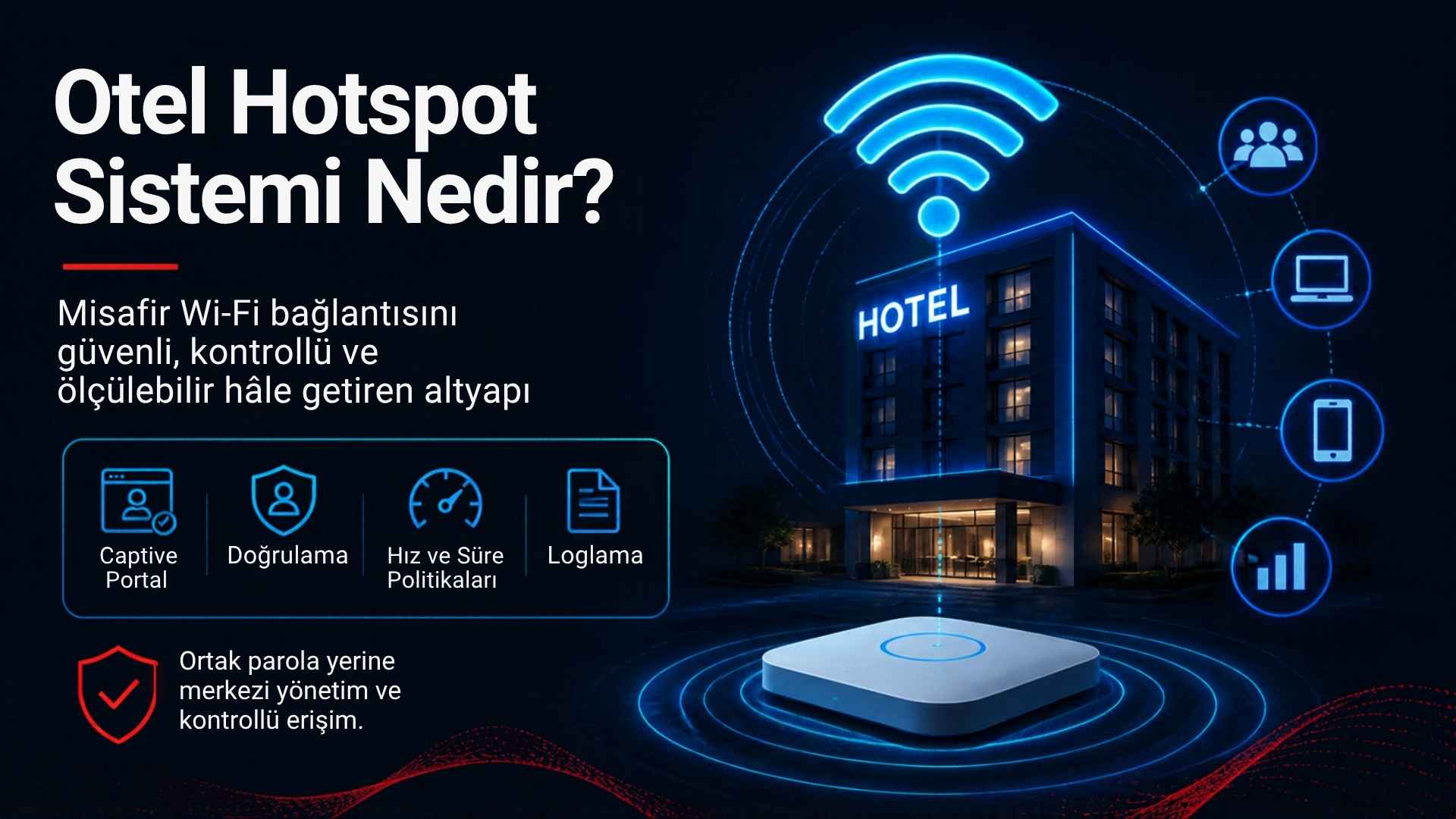
What Is a Hotel Hotspot System? How It Works and How to Choose One
What is a hotel hotspot system?
A hotel hotspot system is an
access management infrastructure that requires guests, after joining the
wireless network, to pass through a welcome and authentication page (a captive
portal) before they can reach the internet. The system authenticates the guest,
applies the defined speed and time rules, monitors the session, keeps access
records and makes it possible to control all of these processes from a
management panel. This allows the hotel to move from a shared password to a
controlled, measurable and professional internet service.
The difference between a hotspot and ordinary Wi-Fi
In an ordinary Wi-Fi setup, a
password is all it takes to join the network. Anyone who knows the password can
access the internet with any device, for as long as they like and without any
limits. Nobody knows who is connected, how much traffic they use or when they
joined. If you want to cut off one guest's access, the only option is to change
the password, which forces every guest to reconnect.
In a hotspot system, joining the
network and accessing the internet are two separate steps. The guest connects
to the wireless network, but must authenticate before being allowed onto the
internet. After authentication, the system recognises the guest as a user or
session and applies rules specific to them. This approach enables per-user
management, reporting, speed control and record keeping.
How does a hotel hotspot system work?
The working logic of a hotel
hotspot system generally consists of the following steps:
1.
Connection: The guest connects their phone or
computer to the hotel's guest network (SSID). This network is usually open or
protected by a general password.
2.
IP assignment: The router acting as the gateway
(for example a MikroTik device) assigns an IP address to the guest's device via
DHCP.
3.
Redirection: When the guest tries to open a web
page, or when the device's operating system checks for internet connectivity,
the traffic is redirected to the captive portal page. On modern phones this
screen usually opens automatically.
4.
Authentication: The guest verifies their
identity on the portal using the chosen method (room number and surname, SMS
code, voucher, email, one-click login and so on).
5.
Authorisation: The hotspot software confirms the
authentication and instructs the router to open internet access for this user
and apply the defined speed and time profile.
6.
Session and monitoring: While the guest uses the
internet, session duration, traffic volume and connection status are monitored
and access records are kept.
7.
Termination: The session ends when its time
expires, when the guest checks out or when an administrator closes the access.
In this architecture, the router
physically enforces network access, while the hotspot software is the
management layer that decides who may access the internet, under which rules
and for how long.
The core components of a hotel hotspot system
Captive portal (welcome page)
This is the web page the guest
sees before reaching the internet. The hotel's logo, colours, welcome message,
terms of use and authentication form appear here. A mobile-friendly,
fast-loading, multilingual portal is the first touchpoint of the guest experience.
Authentication methods
The most popular methods in
hotels are:
•
Room number + surname (or date of birth): Works
with the property management system, so the guest connects without providing
extra information.
•
SMS verification: A one-time code is sent to the
guest's mobile phone.
•
Voucher / password code: Time-limited access
codes distributed at reception or at events.
•
Email login: Can be combined with marketing
consent processes.
•
ID number login: Preferred in certain business
scenarios.
•
One-click login: Provides a quick connection
once the terms of use are accepted.
•
Staff / corporate login: Access for employees
with separate credentials.
Policy engine
This is the layer where rules
such as per-user or per-group speed limits, quotas, session duration, idle
timeout and device limits are defined.
Management panel and reporting
Active sessions, the number of
connected users, traffic usage, peak hours, voucher codes, SMS records and
system settings are managed here.
Logging infrastructure
This is where records such as
internal IP assignment data, session start and end times and device identifiers
are created and stored with their integrity preserved. In Turkey it is
critically important for obligations that must be assessed under Law No. 5651
and the Regulation on Internet Mass-Use Providers.
Integrations
Connections to the property
management system (PMS), SMS providers, email marketing tools, QR menu systems
and reporting tools sit in this layer.
The benefits of a hotel hotspot system for the business
•
Better guest experience: One-time authentication
and fair speed distribution deliver a consistent connection.
•
Security: You know who your guests are and the
network stays under control.
•
Operational efficiency: Reception spends less
time handing out passwords, and problems are identified quickly from the panel.
•
Corporate identity: The hotel's brand is visible
with every connection.
•
Revenue opportunities: Premium speed packages
and space for campaigns and promotions.
•
Support for regulatory processes: Access records
are kept in an orderly way.
•
Data-driven decisions: Usage reports help plan
infrastructure investments correctly.
How to choose the right hotel hotspot system
When selecting a hotspot
solution, focusing only on how the portal looks or on its price is a mistake.
The following criteria should be evaluated together:
Hardware compatibility
Are your existing router and
access points supported? If you use MikroTik RouterOS, for example, the hotspot
software's compatibility with your device model and RouterOS version should be
confirmed before installation.
Capacity and performance
How many concurrent users will
you serve in peak season? Does the system remain stable under heavy load? Is
the portal loading time acceptable?
Authentication flexibility
Are methods available that suit
your operations? Can different methods be used in different areas (for example
room number login in rooms and vouchers in the meeting room)?
PMS integration
If you want features such as
room number login and automatic termination of access at check-out, the API
capabilities of your property management system and the integration method
supported by the hotspot software must be verified in advance.
Logging and reporting scope
Which log fields are kept? Where
are records stored and for how long? What export options are available? This
information should be confirmed in writing.
Management and scalability
If you have more than one
property, can they all be managed from a single panel? Is the solution
cloud-based, on-premises, or are both supported?
Support and continuity
What are the technical support
hours and response times? Is the software updated regularly? Is there
local-language support and knowledge of local legislation?
Total cost of ownership
What is the licensing model? How
does the cost change as the number of users or locations grows? Are there
additional usage costs, such as SMS?
Example hotspot scenarios by property type
Boutique hotel (10–40 rooms)
For boutique hotels, simplicity
and guest experience come first. A single router and a few access points are
often enough. Login with room number and surname, or one-click connection,
reduces the workload at reception. An elegant welcome page that matches the
corporate identity is a strong branding element for small properties.
City hotel (50–200 rooms)
In city hotels with many
business travellers, speed and stability are the priorities. A common
combination is voucher-based access for meeting rooms, PMS-integrated login for
rooms and a premium speed profile for business guests. Automatic termination of
access after check-out is important for security.
Resort and holiday village (200+ rooms)
Large outdoor areas, pool and
beach zones, many buildings and peak-season traffic call for central
management, a multilingual portal and an architecture that scales with
capacity. Separating the guest, staff, POS and camera networks becomes
critical.
Hotel chains
For groups managing several
properties, monitoring all locations from one panel, applying standard policies
centrally and reporting per property speed up decision-making.
KVKK and data security in a hotspot system
A hotspot system may process
personal data such as name and surname, phone number, email address, room
number and device information. That is why data protection, not just
technology, must be planned when the system is set up. Under Turkey's Personal
Data Protection Law No. 6698 (KVKK), guests should be shown a clear and
understandable privacy notice on the portal, and separate explicit consent
should be obtained where required for additional processing such as marketing
communications. Access records and marketing data should be kept apart, with
retention and deletion periods defined for each.
On the technical side, access to
the management panel should be restricted by role, and administrator accounts
should be protected with strong passwords and, where possible, multi-factor
authentication. The contract should clearly state on which server and in which
country the data is hosted, how it is backed up and what obligations the
service provider has as a data processor. Asking guests only for data that is
necessary for the purpose supports both the KVKK principle of proportionality
and a faster connection experience.
Common mistakes
•
Choosing hotspot software without checking the router's
capacity and compatibility.
•
Asking guests for more information than necessary on
the portal and lengthening the connection process.
•
Installing a hotspot without network segmentation.
•
Going live without knowing the logging scope and where
records are stored.
•
Switching the entire property over at once without a
pilot test.
Things to analyse before installation
•
Wi-Fi coverage and number of access points in rooms and
common areas
•
Internet line capacity and the need for a backup line
•
VLAN separation for guests, staff and critical systems
•
Peak-season concurrent user forecast
•
Whether the router's CPU and memory capacity suits the
user load
•
Authentication method and PMS integration requirements
•
Legal assessment of access records and personal data
processes
Frequently asked questions
Are a hotel hotspot system and a captive portal the same thing?
No. The captive portal is the
welcome and authentication page of the hotspot system that the guest sees. The
hotspot system is the complete infrastructure that, in addition to the portal,
covers authentication, policy management, session tracking, logging and
reporting.
Does a small boutique hotel need a hotspot system?
Regardless of room count, every
business that offers internet to its guests benefits from controlled access and
access records. In boutique hotels, the system can be set up with a simpler and
more affordable package.
Does a hotspot system increase internet speed?
A hotspot system does not
increase the speed of the internet line, but by distributing existing capacity
fairly among users it can noticeably improve perceived connection quality.
Do I need to replace my existing Wi-Fi infrastructure?
In most cases existing access
points can continue to be used. The hotspot function usually runs on the router
acting as the gateway. However, the router's compatibility and capacity must be
checked.
Does a hotspot system ensure compliance with Law No. 5651?
Hotspot software provides
significant support for keeping access records, but it does not guarantee
regulatory compliance on its own. Network architecture, record integrity,
retention periods and business procedures must be addressed together, and the
legal scope should be clarified with expert advice.
Next step with Richspot
Richspot Hotspot is a hotspot
platform developed in Turkey that offers a customisable captive portal;
multiple authentication methods (room number, SMS, ID number, email, password
code, one-click and staff login); per-user bandwidth management; an API structure
optimised for MikroTik RouterOS; cloud-based central management; and automatic
logging within the scope of Law No. 5651. It comes with 24/7 technical support
from the expert team at Goats Software System.
Evaluate Richspot Hotspot
against the needs of your property. Ask the Richspot team about the current
package scope, supported devices and integration options.
